
Open Agent Hands
The hands your AI agents build with
A local app where your coding agents create and run tools, MCP servers, sites, jobs and data. Claude Code, Codex, Cursor or any agent that speaks MCP or runs a shell. You watch, read the code and step in when needed.
Install
One command on macOS or Linux. On a Mac it installs the app into /Applications and the menu bar runs the server for you.
Then open http://127.0.0.1:8429 and create your account. Everything stays on your machine.
Images for amd64 and arm64. The port binds to 127.0.0.1:8429, so put an HTTPS reverse proxy in front and create your account right away.
From install to your first tool
Agents create things. You mostly look, and step in when needed.
- 01
Install
Run the install command. The app lives in the menu bar on macOS; on Linux, start it with agenthands.
- 02
Connect your agent
Open Connect and paste the setup prompt into any agent. It installs oahctl and logs in; agents without a shell use the MCP tab.
- 03
Ask for something
“Create a tool that fetches YouTube transcripts and put it on a new MCP server called Research kit.”
- 04
Watch it happen
The agent writes the tool, runs it until it works and publishes it. Each step shows up in the app.
One MCP connection, everything an agent needs
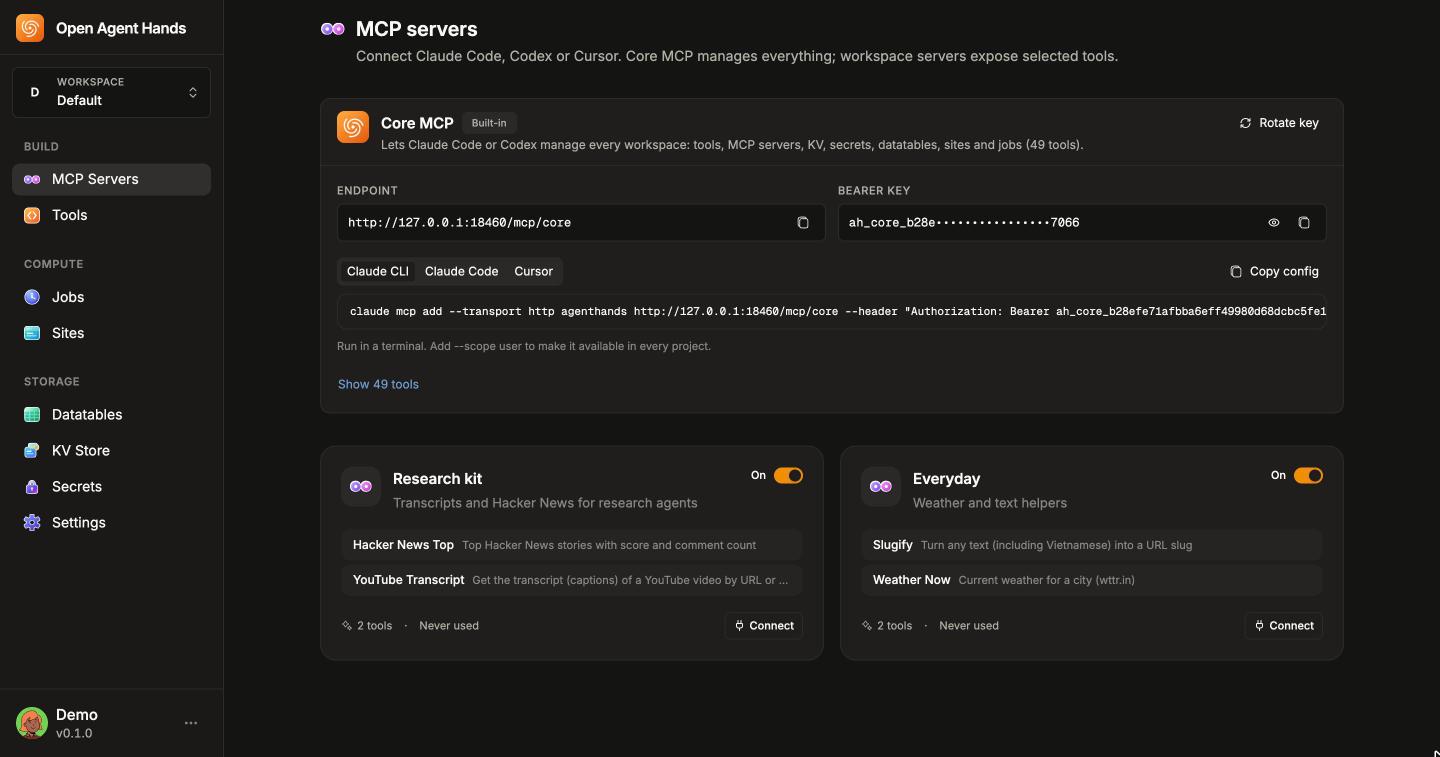
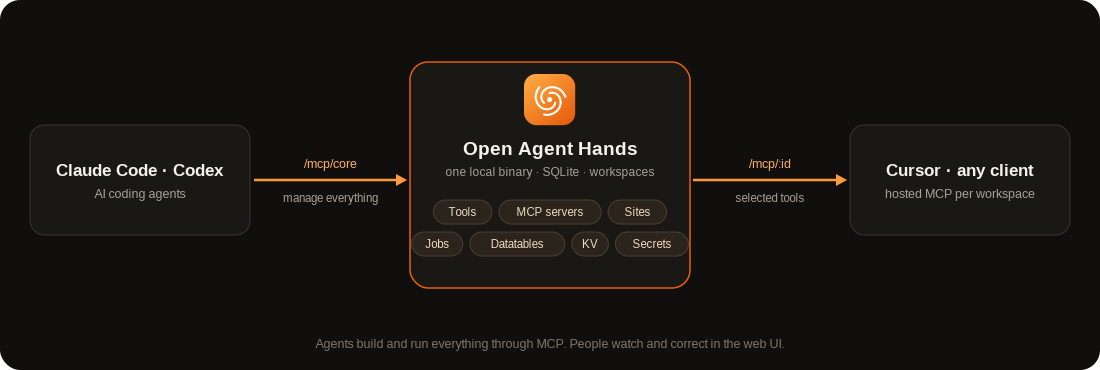
Agents manage the app through /mcp/core. Each hosted MCP server exposes only the tools you assign to it, to any client.
What lives inside
Things agents build, in one place you can read and fix.
MCP servers
Publish tools as their own MCP servers. Copy the connect info, turn a server on or off, rotate its token.
Tools
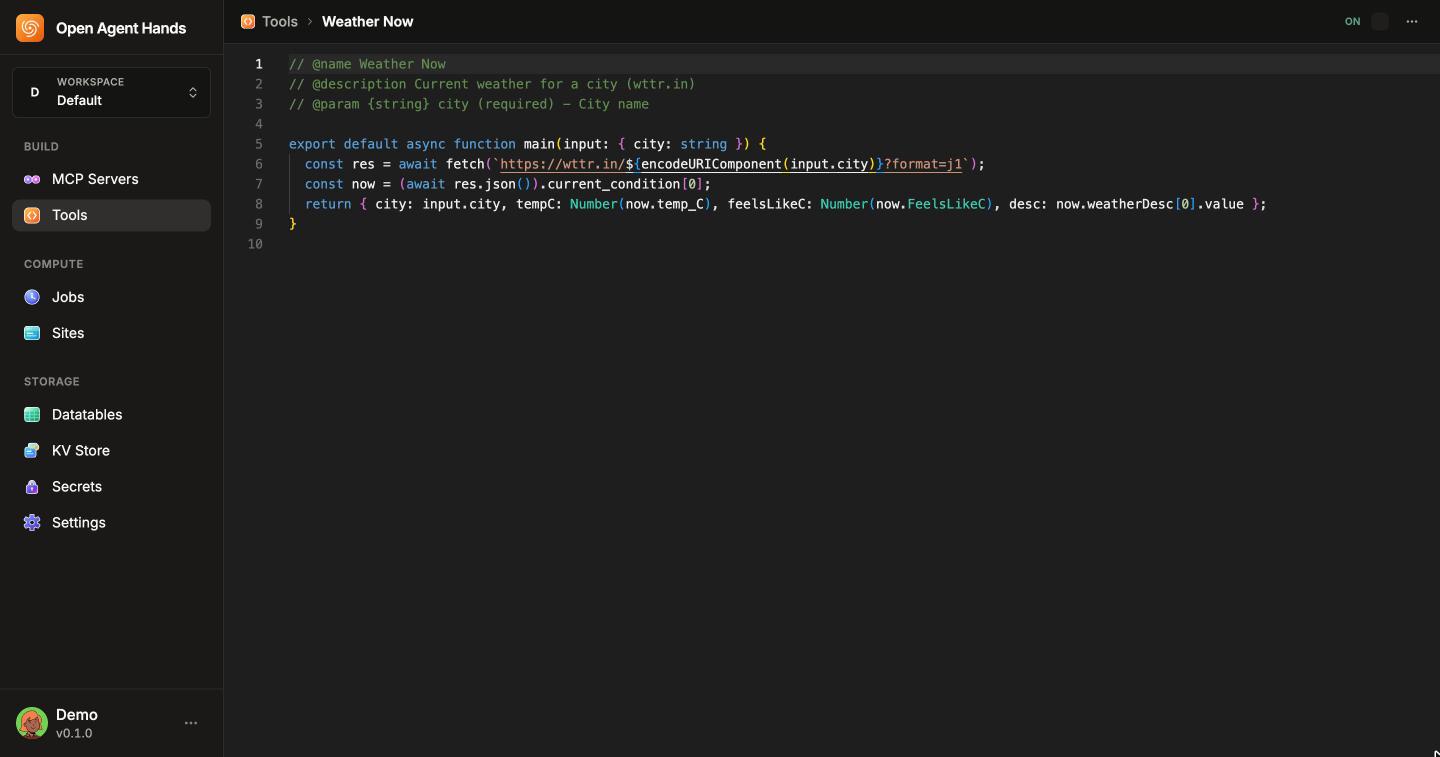
TypeScript with @param annotations; npm imports install automatically. Read and fix the code, group tools in folders.
Jobs
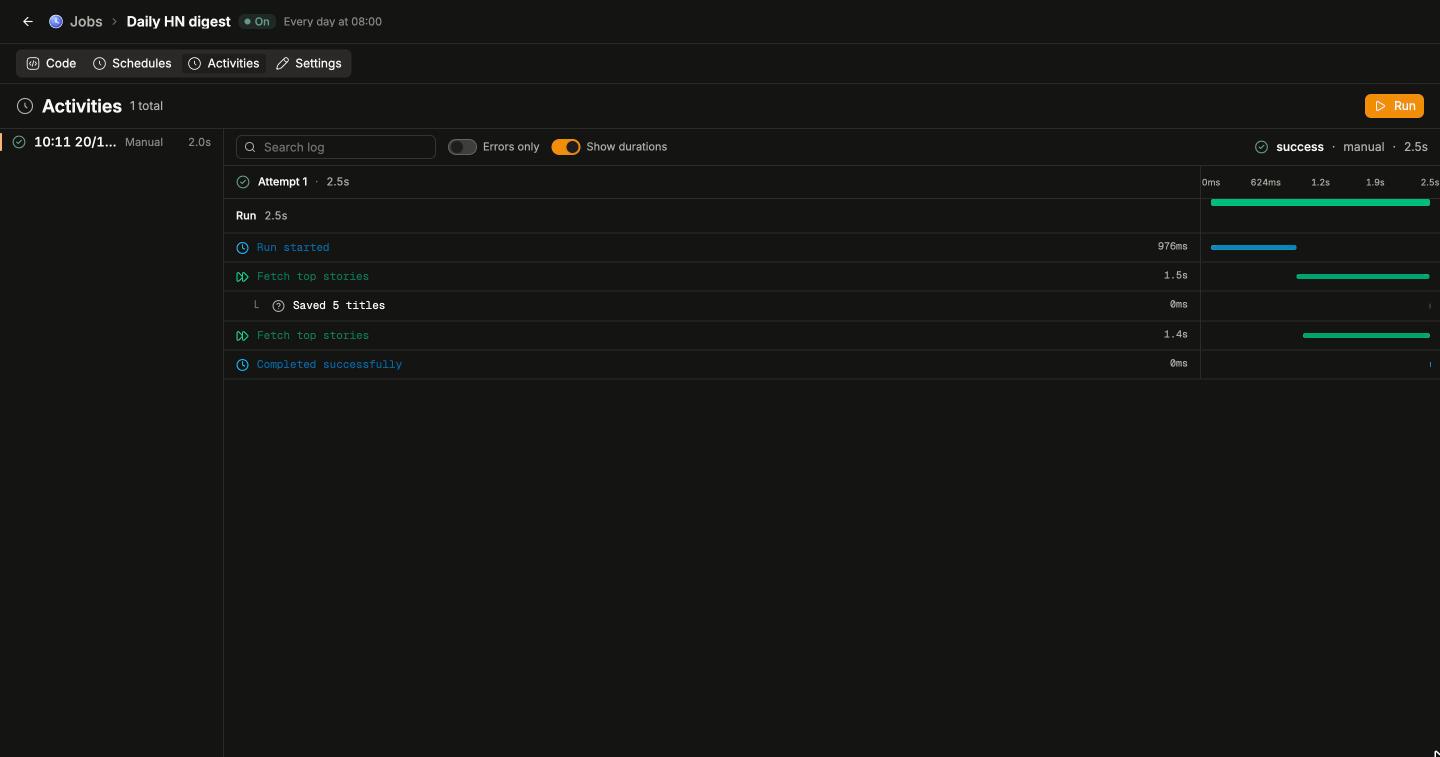
Scheduled scripts with the schedule in plain words, next runs, step timings and logs. Pause, resume or run now.
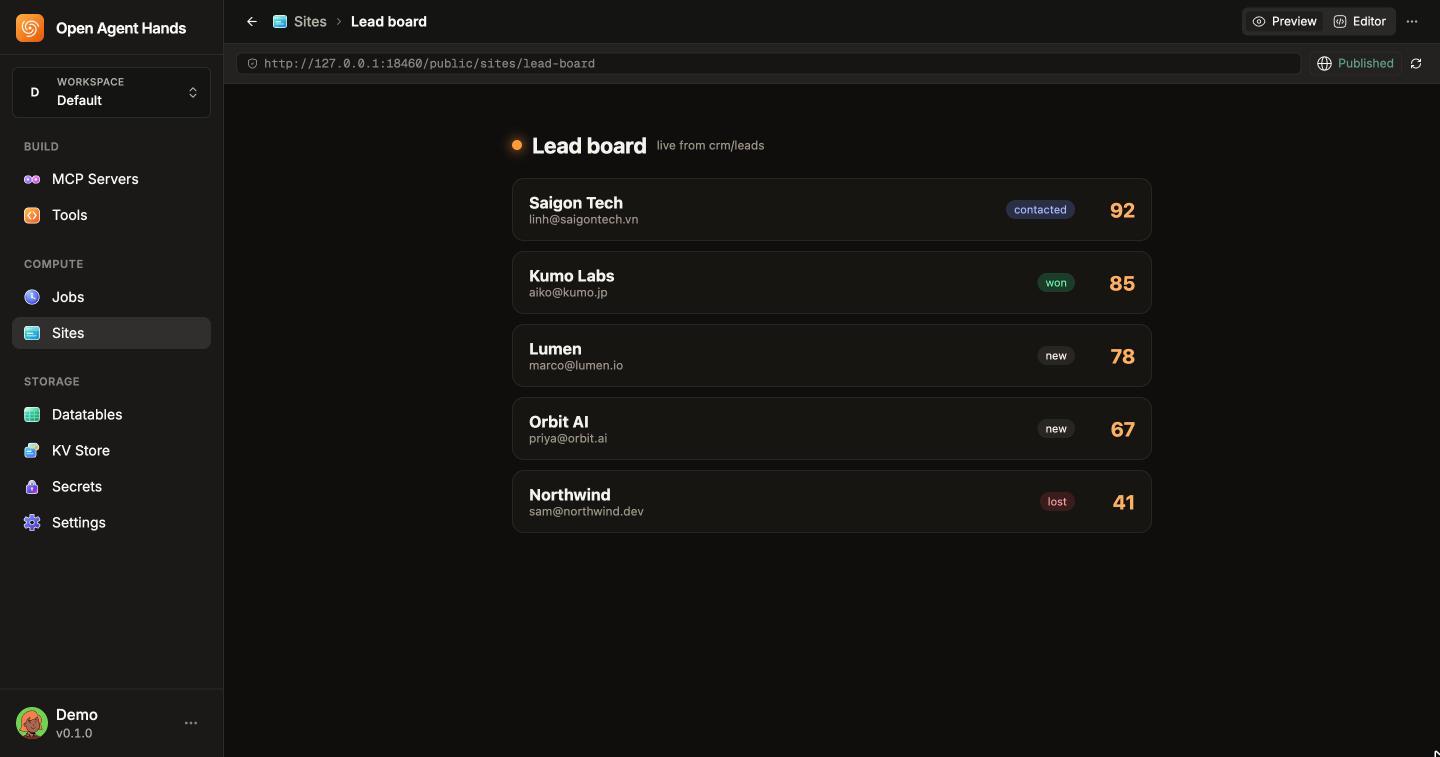
Sites
Small React apps with a backend. Preview, publish and set a password.
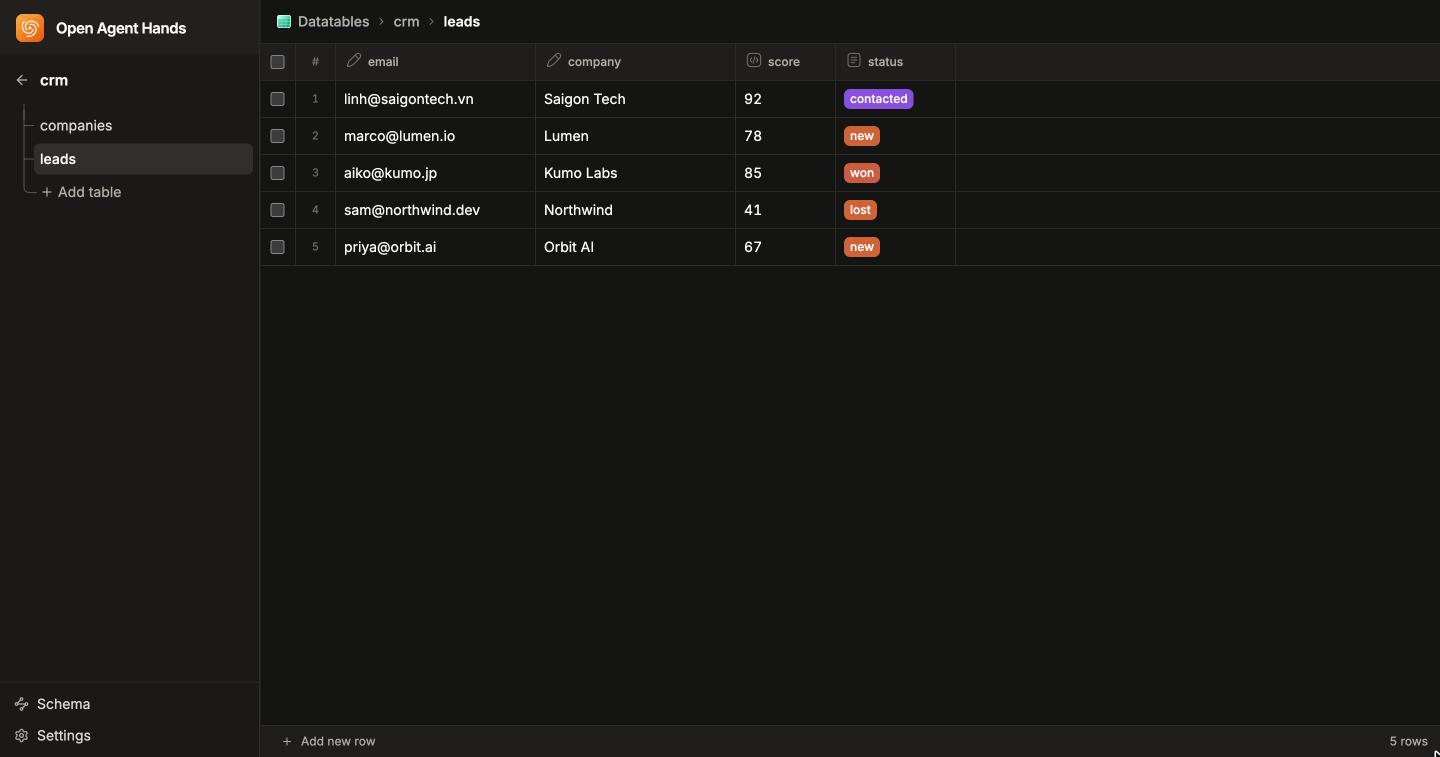
Datatables
Typed tables that agents and people both read and write.
Storage
Files by folder, any size. Preview, upload, download, or make a space public.
KV and secrets
Values agents use but never see in chat, such as API keys. Secrets are encrypted at rest.
oahctl
A 20 KB command line client. Every Core MCP tool is a command, so any agent with a shell can use it.
Sandbox
Tools and site backends can run in an OS sandbox: Seatbelt on macOS, bubblewrap on Linux.
A look inside
Screens from the app, as agents left them.
Give your agent the skill
Works with any coding agent. Copy the setup prompt from Connect into your agent. Agents that can't run shell commands use the MCP tab, with the endpoint, the key and an MCP setup prompt.
On Claude Code, the repo is also a plugin with a skill that knows the formats and commands:
Open source, MIT
Read the code, file an issue or send a pull request. Every release ships from GitHub.